
Cloud security is more than a firewall
Imagine being responsible for an apartment building. You need sturdy locks, functioning smoke detectors, controlled keys, and a way to notice suspicious activity. Protecting cloud systems is similar. Applications depend on networks, identity permissions, storage, virtual machines, and software delivery processes. A single tool or checklist cannot make every part safe. Teams need to understand the relationships between those parts, especially when an application operates across multiple cloud environments.
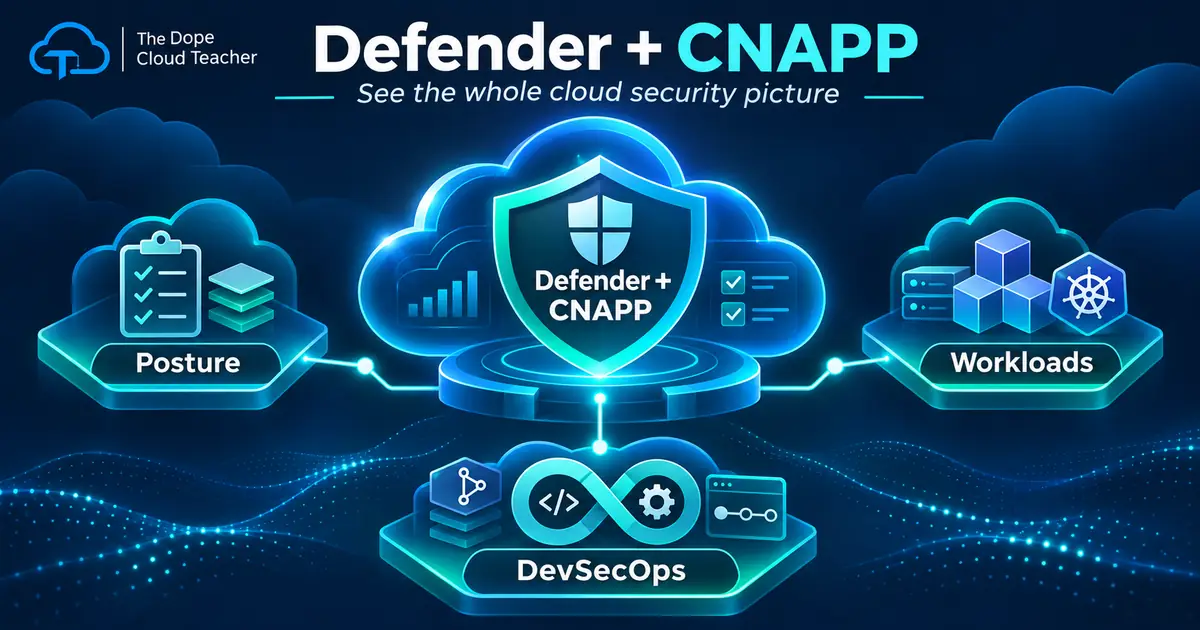
That brings us to CNAPP, short for Cloud-Native Application Protection Platform. The name sounds complicated, but the idea is practical: connect the information teams need to identify weaknesses, protect workloads, and secure how software is developed. Microsoft Defender for Cloud is a CNAPP solution. It helps teams view and investigate cloud security concerns without treating every resource as an isolated mystery.
First: cloud security posture management
Cloud Security Posture Management, or CSPM, helps answer a basic question: are our cloud resources configured safely? The service can surface recommendations about risky settings, identity exposure, or other weaknesses. Think of a posture review as a building inspection. You may discover a door that should not be open, a missing control, or an unusual configuration that deserves attention.
Posture recommendations are starting points, not automatic verdicts. A finding still needs context. Who owns the resource? What data does it hold? Is it reachable from the internet? Is the setting intentional, and what compensating controls exist? Mature teams combine technical findings with business impact before prioritizing remediation. A dashboard score cannot know every operational reason behind a configuration.
Second: cloud workload protection
Cloud Workload Protection Platform, or CWPP, focuses more directly on defending running workloads. Those workloads can include servers, databases, containers, and other cloud services. Depending on the Defender plans enabled, teams may receive threat detection and protective capabilities for particular workload types. The distinction is useful: posture management spots risky conditions, while workload protection addresses threats and behavior involving active systems.
Imagine a storage service with a risky configuration and an application server showing suspicious activity. One situation may call for preventive configuration work, while the other may require investigating an alert, containing a threat, or restoring a service. Both matter, but they are not the same job. Teams should understand which coverage they purchased and how alerts reach an accountable responder.
Third: DevSecOps connects security to delivery
Security should begin before an application reaches production. DevSecOps brings checks into the stages where teams design, write, test, and deploy software. A scan might detect an exposed secret, vulnerable dependency, or insecure infrastructure template before the next release. Addressing those issues earlier can prevent new weaknesses from repeatedly entering a working environment.
These three areas work together. CSPM can identify a misconfiguration in a deployed resource. DevSecOps can help correct the deployment template that created it. Workload protection may detect related suspicious behavior. When teams share those findings, they stop fixing only symptoms and begin improving the entire process. That connection is the heart of the CNAPP idea.
A real example: protecting a customer portal
Suppose a small business launches a customer portal that stores documents in cloud storage. A posture recommendation flags a setting that might expose data. An identity review reveals that the application identity has far broader access than it needs. The next deployment includes a configuration change that could recreate the first problem. Seen separately, these look like three unrelated tickets. Viewed together, they point to one risky design pattern.
An effective response would identify the resource owner, investigate actual exposure, reduce unnecessary permissions, and repair the infrastructure definition. Then the team would verify the updated setting and decide which alerts require attention. This approach protects the customer and lowers the chance of repeating the mistake. It also creates a useful record of why the fix was made.
What Defender for Cloud cannot do alone
Defender for Cloud can provide recommendations, insights, and protection capabilities based on enabled plans and integrations. It does not remove the need for secure architecture, sensible identity design, patch management, backup planning, or human incident response. Some capabilities are included only with particular plans, and multicloud coverage varies by workload and configuration. Check current documentation and costs before enabling features.
Also remember that a low-risk score does not prove an organization is safe. Incomplete inventory, unmonitored systems, ignored alerts, or missing ownership can create dangerous gaps. Security teams need routines for reviewing findings, assigning work, tracking exceptions, and confirming that changes genuinely reduced risk. An expensive tool without a repeatable process is still an incomplete security strategy.
Try the DCT one-resource challenge
In an authorized nonproduction environment, choose one Azure resource you understand. Record what it does, who uses it, and how it is deployed. Review the relevant Defender for Cloud posture information. Select a recommendation, read its explanation, and write a short risk statement in plain English. Ask whether the proposed fix could affect availability or business needs before changing anything.
Next, identify the related access permissions and deployment method. Would the same issue reappear after a fresh deployment? Who would be notified if an alert occurred? Document the answer, the safe action, and how you would verify success. These questions teach more than memorizing security product names. They help you think like someone responsible for protecting real systems.
The takeaway
CNAPP helps bring posture, workload defense, and development security into a connected picture. Start by learning what each part does, then practice connecting findings across systems. The goal is not to chase every alert at once. It is to know which risks matter, who owns them, and how to improve the environment deliberately.
Remember the apartment building: inspect the locks, monitor what happens inside, manage the keys, and make sure new construction follows the rules. Cloud security becomes easier to understand when you see the whole building instead of staring at one door.