
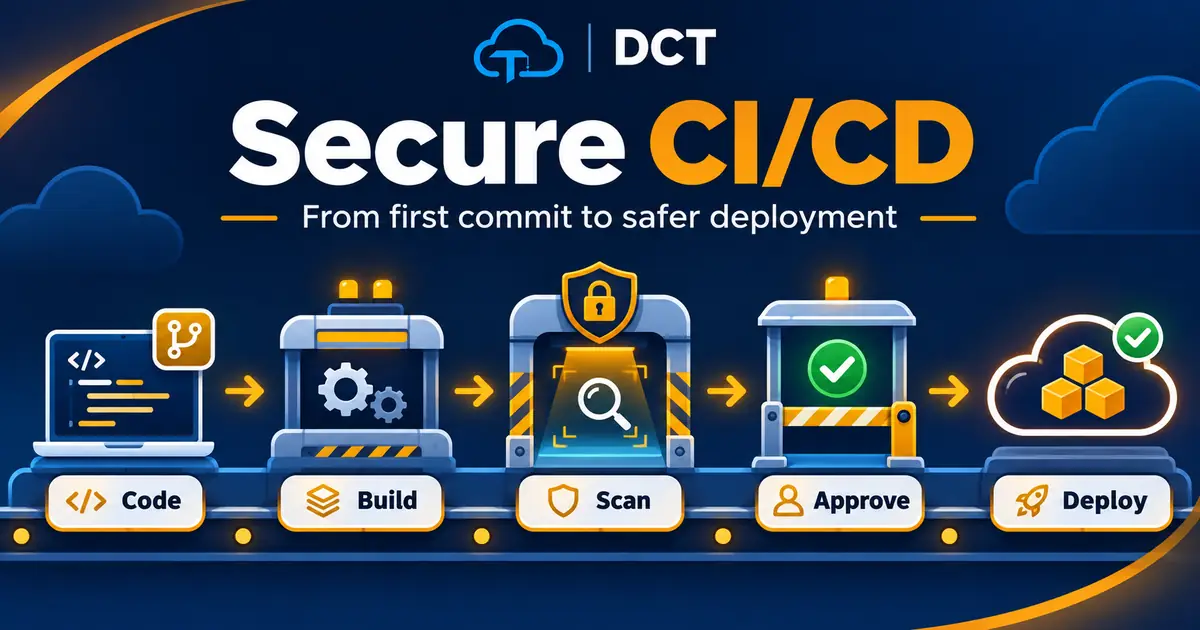
A pipeline is a delivery route
Think about shipping a package. Someone confirms the order, packages the item, checks the address, sends it out, and tracks delivery. Software moves through checkpoints, too. Continuous Integration, or CI, helps combine code changes and test them frequently. Continuous Delivery or Deployment, often shortened to CD, prepares or releases those changes to users. Automation can make the journey more consistent, but consistency alone does not guarantee security.
Imagine a website that automatically deploys every change without checking whether the new code breaks login or exposes an API key. That pipeline is fast, but it is not healthy. Secure CI/CD adds thoughtful checkpoints between an idea and a production release. The objective is to catch mistakes when fixing them is easier and less disruptive.
Start by protecting the source
Your repository is the beginning of the supply chain. Decide who can push code, approve changes, alter workflow definitions, and access deployment credentials. Protected branches, required reviews, and limited permissions make it harder for an accidental or unauthorized change to reach production. Avoid storing passwords or tokens in source code; a secret deleted from a file may still be present in commit history.
Automated workflows also need identities. Give pipeline credentials only the permissions necessary for the environment they manage. Separate development from production access, prefer short-lived credentials when supported, and restrict who can approve sensitive deployments. Treat the pipeline like a team member with real authority, because compromised automation can sometimes make changes as powerful as an administrator.
Build and test before you release
A CI workflow should confirm that the application can build and pass tests. Unit tests check small pieces of behavior; integration tests examine whether parts cooperate. These checks may prevent a broken registration form or missing component from reaching customers. They also create confidence for developers, who can make smaller changes and receive feedback more quickly.
Security checks belong in that same conversation. Static application security testing, often called SAST, looks for risky code patterns. Software composition analysis examines dependencies for known vulnerabilities. Secret scanning looks for exposed credentials. Infrastructure-as-code checks can identify insecure cloud definitions before deployment. You do not need every tool on day one. You do need a clear reason for every check and a plan for handling its results.
What does shift left actually mean?
Shift left means considering security earlier in the software development process. Instead of waiting until an application is almost finished, teams discuss risks during design, review code changes, and automatically check work while it is still being developed. Finding a problem early often makes the fix cheaper and easier to understand.
Shifting left does not mean security teams simply start saying no sooner. A useful security practice explains the problem, helps developers understand alternatives, and automates predictable decisions. If a scanner generates hundreds of low-value alerts without guidance, people may ignore all of them. Set realistic rules for blocking critical findings, managing exceptions, and reviewing results with context.
Approval and deployment deserve controls too
Passing tests should not automatically grant unrestricted production access. A release process may include deployment approvals, environment-specific credentials, and checks that artifacts came from the expected build. Protect your workflow dependencies and define who can modify production configuration. Teams also need a way to reverse an unsuccessful release without making the problem worse.
For an Azure Static Web App, for example, identify which branch triggers production and who can change its deployment workflow. Keep secrets in an appropriate secret-management system, not in a public repository. Understand how the release process interacts with the web application, APIs, and any database. An automated deployment should be predictable enough that a teammate can explain it without guessing.
Monitoring is the final checkpoint—and the next beginning
Security work continues after deployment. Collect useful logs about builds, approvals, releases, access changes, and application behavior. Monitor for unusual activity and newly disclosed dependency vulnerabilities. Make sure alerts reach someone responsible rather than disappearing into a forgotten inbox. A green build badge shows that selected checks passed; it does not guarantee that every risk was discovered.
When an incident or near miss occurs, ask whether a pipeline check could have prevented it or revealed it sooner. Improve tests, approvals, or monitoring based on what actually happened. This creates a feedback loop: operational experience makes the next delivery safer. That is continuous improvement, not a one-time security project.
Build your first safe practice pipeline
Create a small practice repository with a basic page. Add a workflow that runs on pull requests and checks formatting or executes a simple test. Turn on branch protection or an equivalent repository rule. Add one security check, such as dependency scanning, and decide who reviews failures. Use only sample data and nonproduction credentials.
Now introduce a harmless test failure. Watch the workflow stop and read its output. Correct the problem, open a new change, and confirm that the check passes. Finally, document how you would approve a test deployment, review logs, and reverse a bad release. You have just practiced the essential pipeline mindset without risking a real customer system.
The takeaway
A secure delivery route follows a sensible sequence: protect the repository, build, test, scan, approve, deploy, observe, and improve. Each checkpoint should have a clear purpose, owner, and response when something fails. Fancy tools are optional; discipline is not.
DevSecOps is most effective when people understand why the automation exists. The goal is not to make developers afraid to ship. The goal is to help them deliver useful improvements with fewer surprises and a reliable way to recover. Speed and safety can support each other when you design the route intentionally.